Hi @Adam and welcome to the Joulescope forum!
I think you are talking about the text for the dual markers. You can right-click on the dual markers and select Copy text to clipboard. You can then paste this anywere (CTRL-V on Windows). Here is an example:
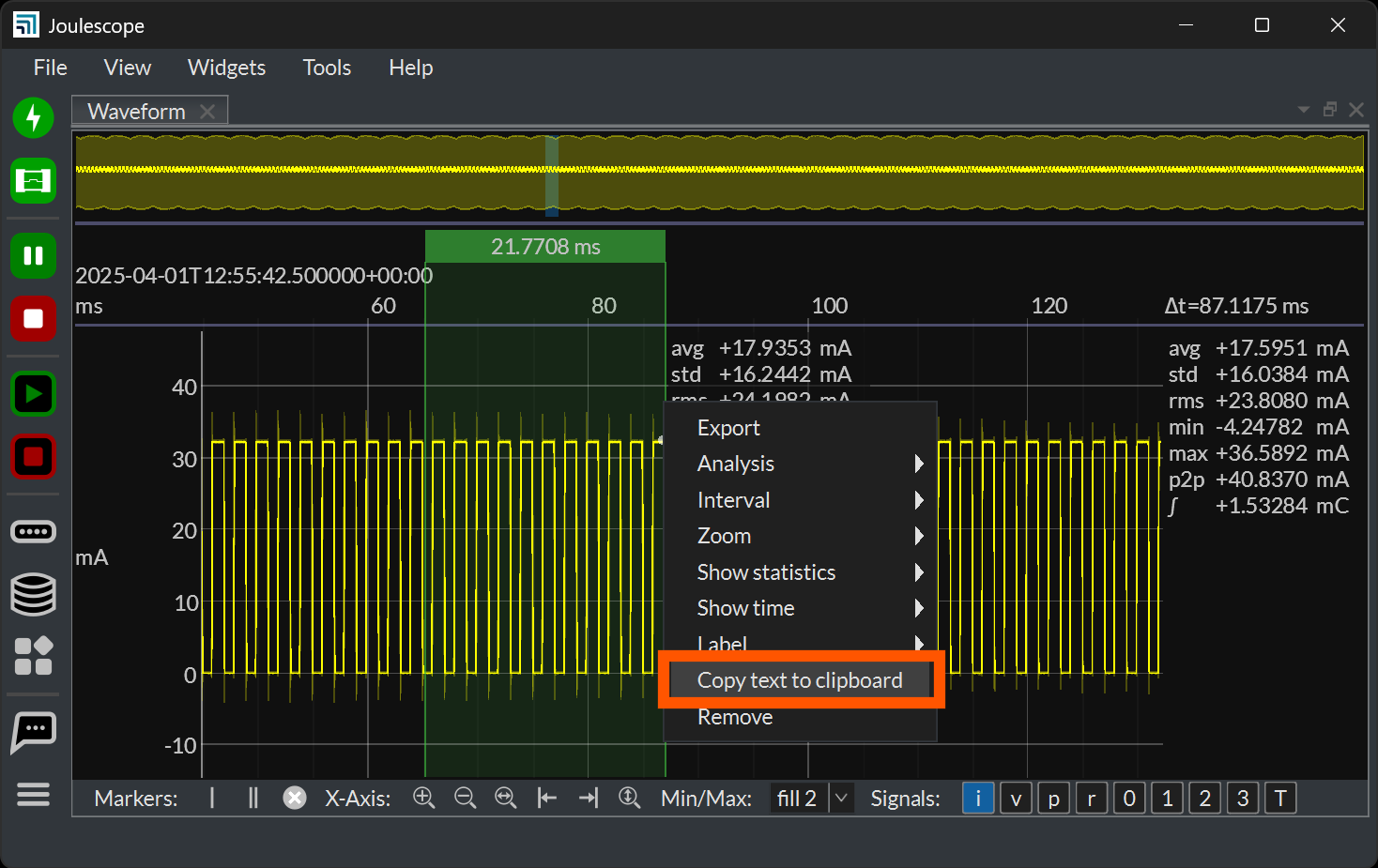
Current
avg +17.9353 mA
std +16.2442 mA
rms +24.1982 mA
min -3.94852 mA
max +36.4005 mA
p2p +40.3491 mA
∫ +390.490 µC
It’s not CSV format, but it is available. Unfortunately, this presently does not copy the duration to the clipboard.
Is this close enough for what you need?