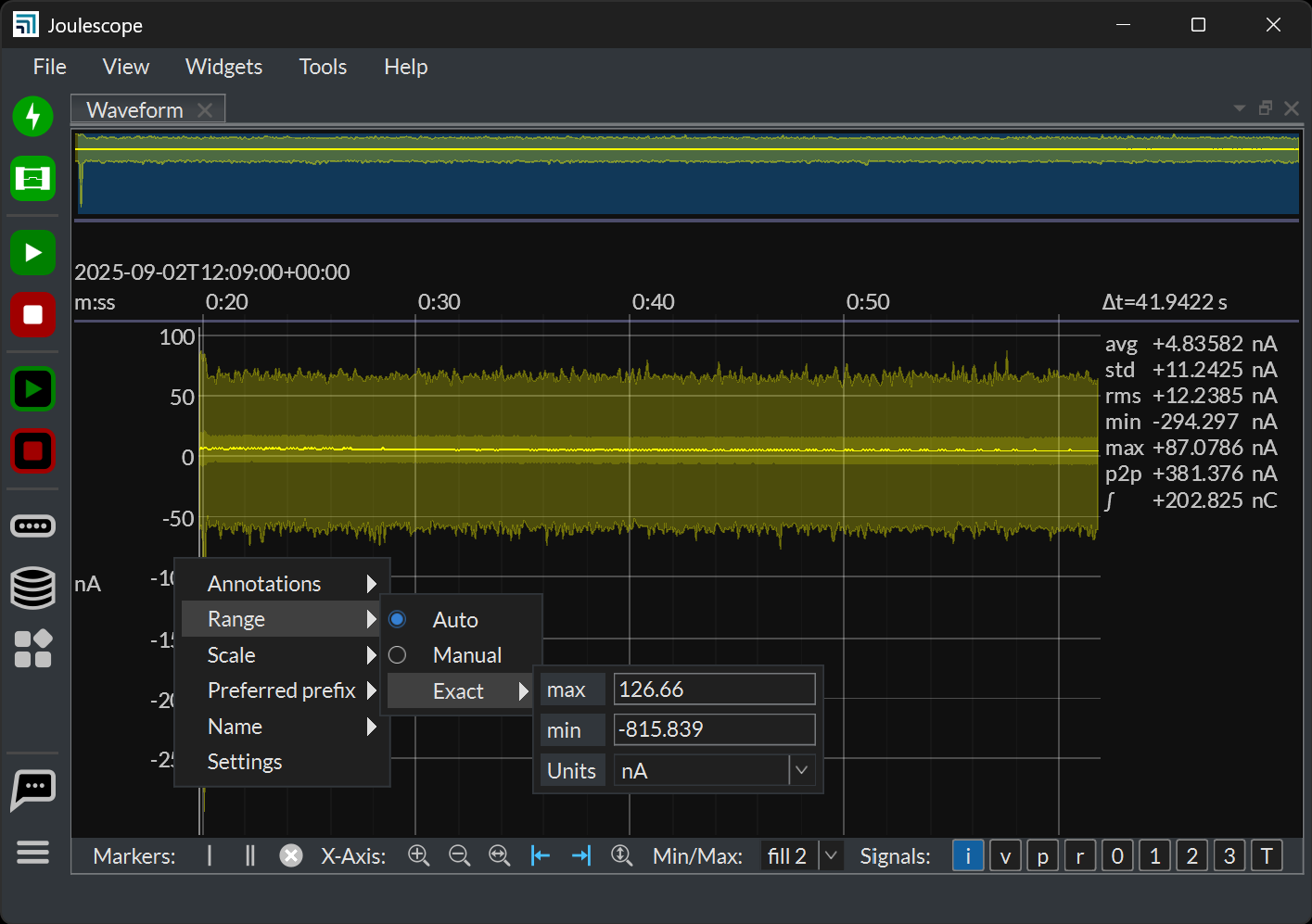
I’m not sure if this is in the app yet, but it would be great to have a “minimum displayed range” when streaming data.
As in, when I’m streaming measurements, often times, it can vary a good amount. Sometimes I get spikes from different MCU behavior, sometimes it’s mostly steady state, etc. When it goes into these steady state times and the current or voltage is relatively quiet, the auto-range will zoom in as far as it can. That makes it seems like there’s a ton of noise and/or activity happening. Instead, I have to look at the scale and do the analysis in my head (either do the subtraction or remember to look at the on-screen stats) to then make a call if it’s worth looking at or not.
Example:
I’ve setup an MCU to do something with a chip, and then go idle indefinitely.
Initially, I get this waveform, which is great! I have my current pulses and corresponding state transitioning on GPIO3.
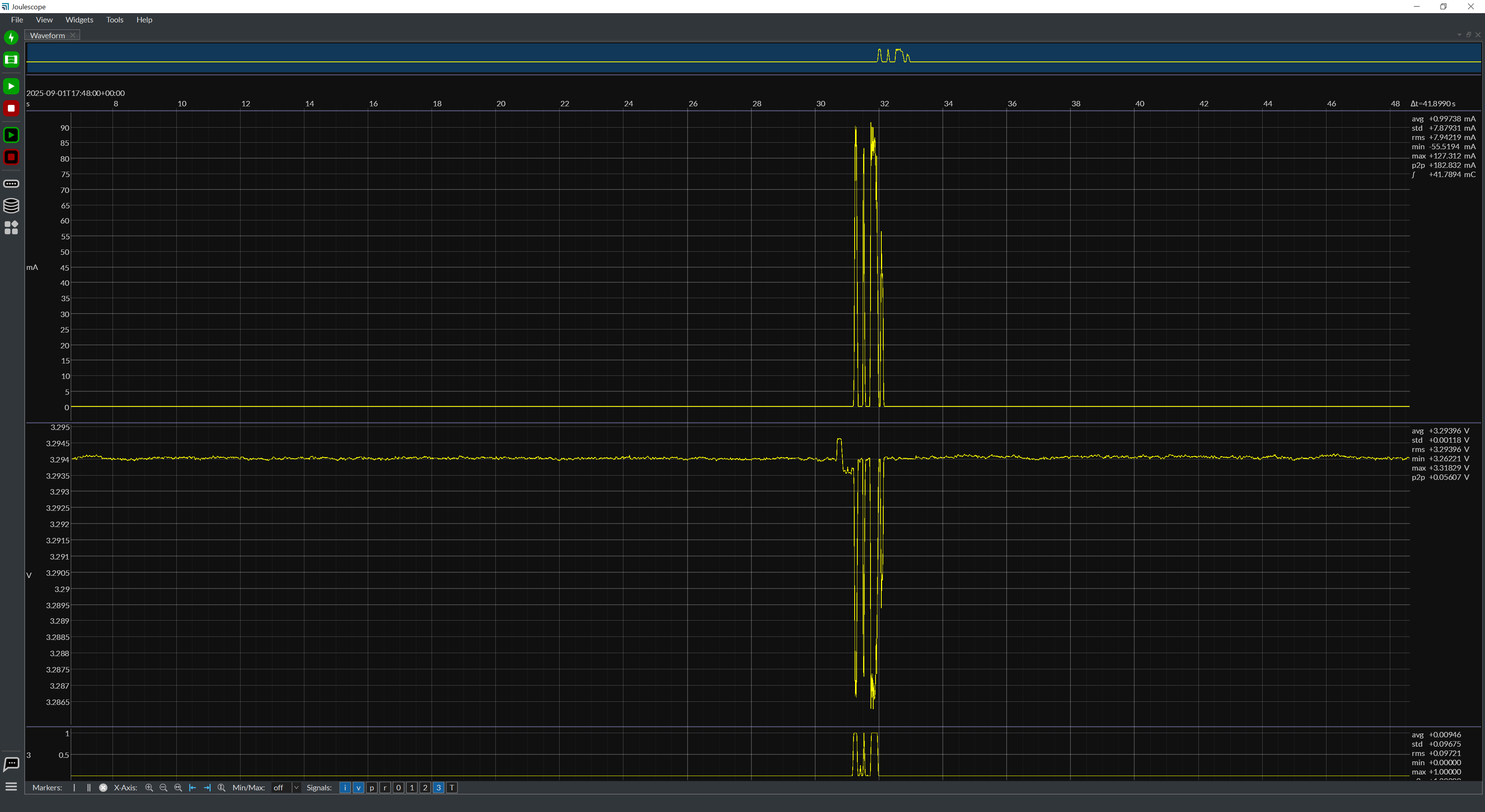
After the program buffer fills and the measurement goes off screen, it turns to this:
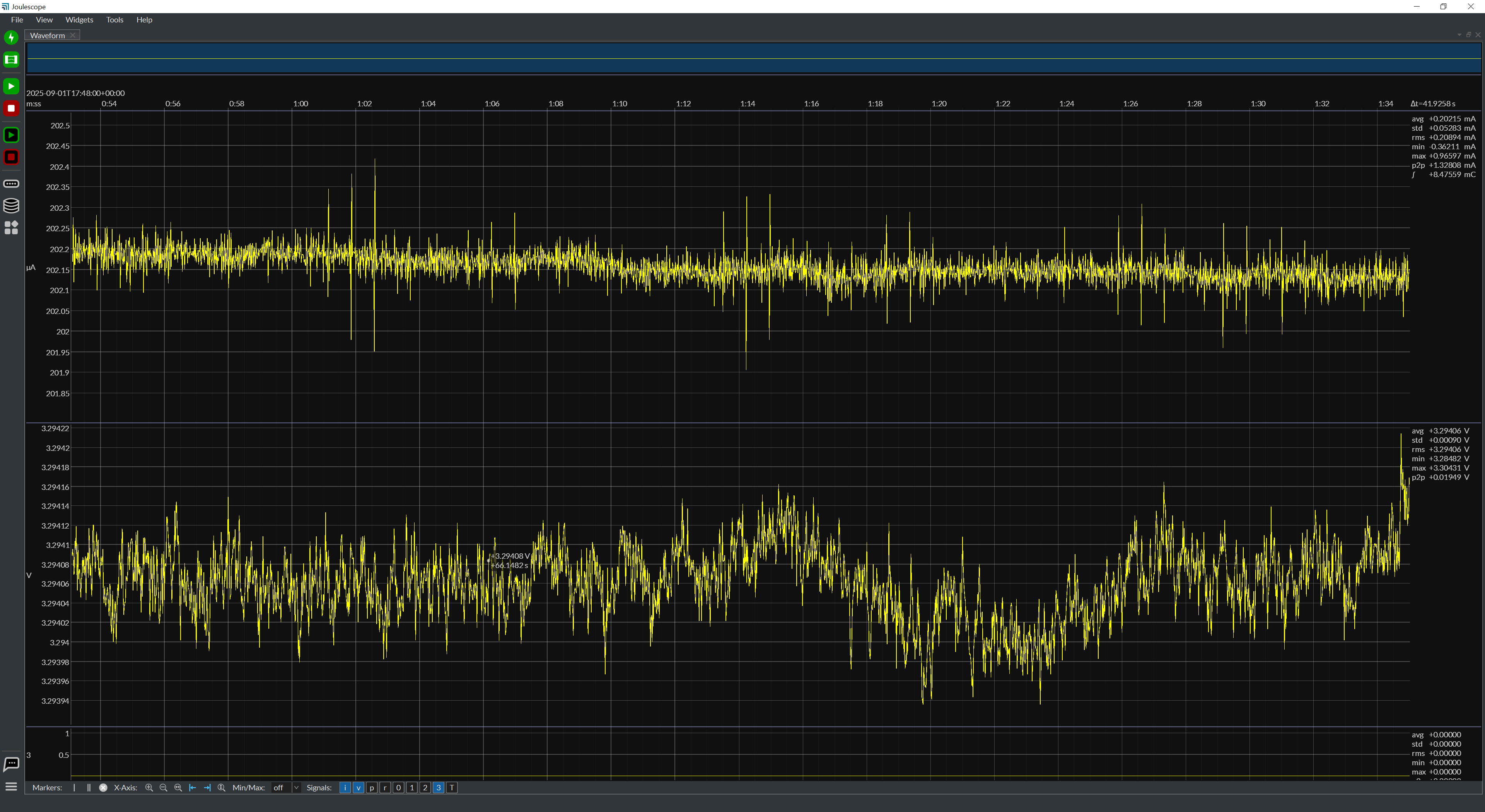
Which feels like a “Whoa!!! Where did all that noise come from??” But in reality, it’s orders of magnitude lower than the signal I’m measuring.
Having a configurable minimum current range would help remove that extra step of “Oh, yeah, it’s autoranged to this, so I shouldn’t interpret this waveform”